
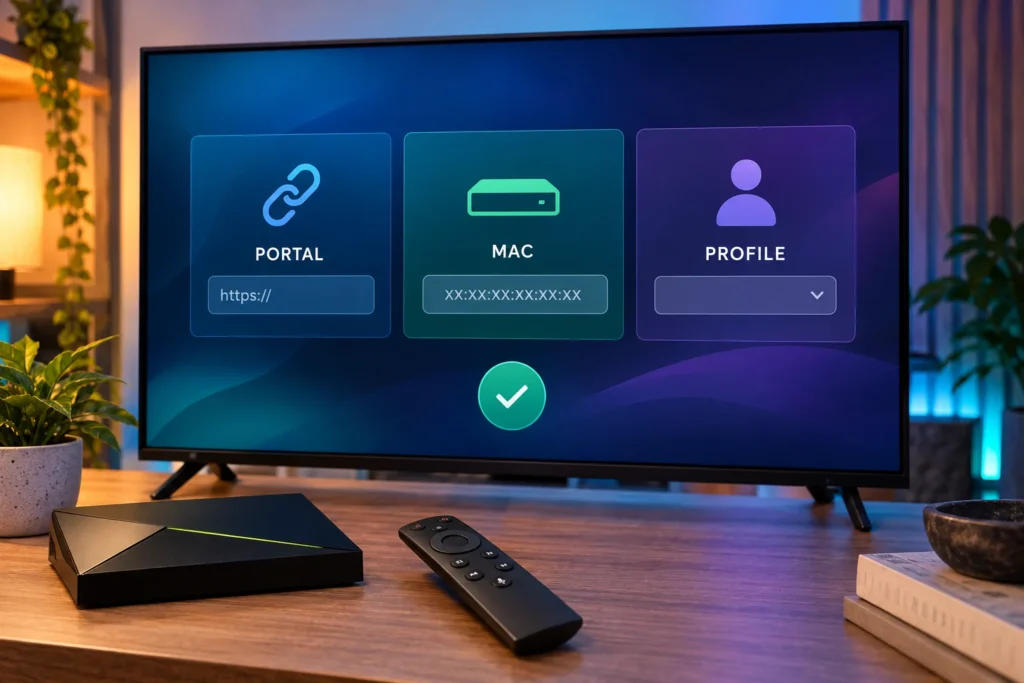
To find your STBemu MAC address, open StbEmu, go to Settings → Profiles, select the profile you use for your IPTV service, and open STB configuration → MAC address. Copy the address shown there exactly, including the colons. If your provider uses MAC-based Stalker/Ministra activation, send that address through its official support or activation channel and ask the provider to register it against your subscription. You must also have the correct portal URL in the same profile.
These instructions apply to the StbEmu Free and Pro Android applications on compatible devices, including Android TV and supported Fire TV models. The app emulates a set-top box; it does not include TV channels or activate a subscription by itself. The menu path and settings are documented in the StbEmu developer’s STB profile reference.
Find the MAC address in STBemu settings
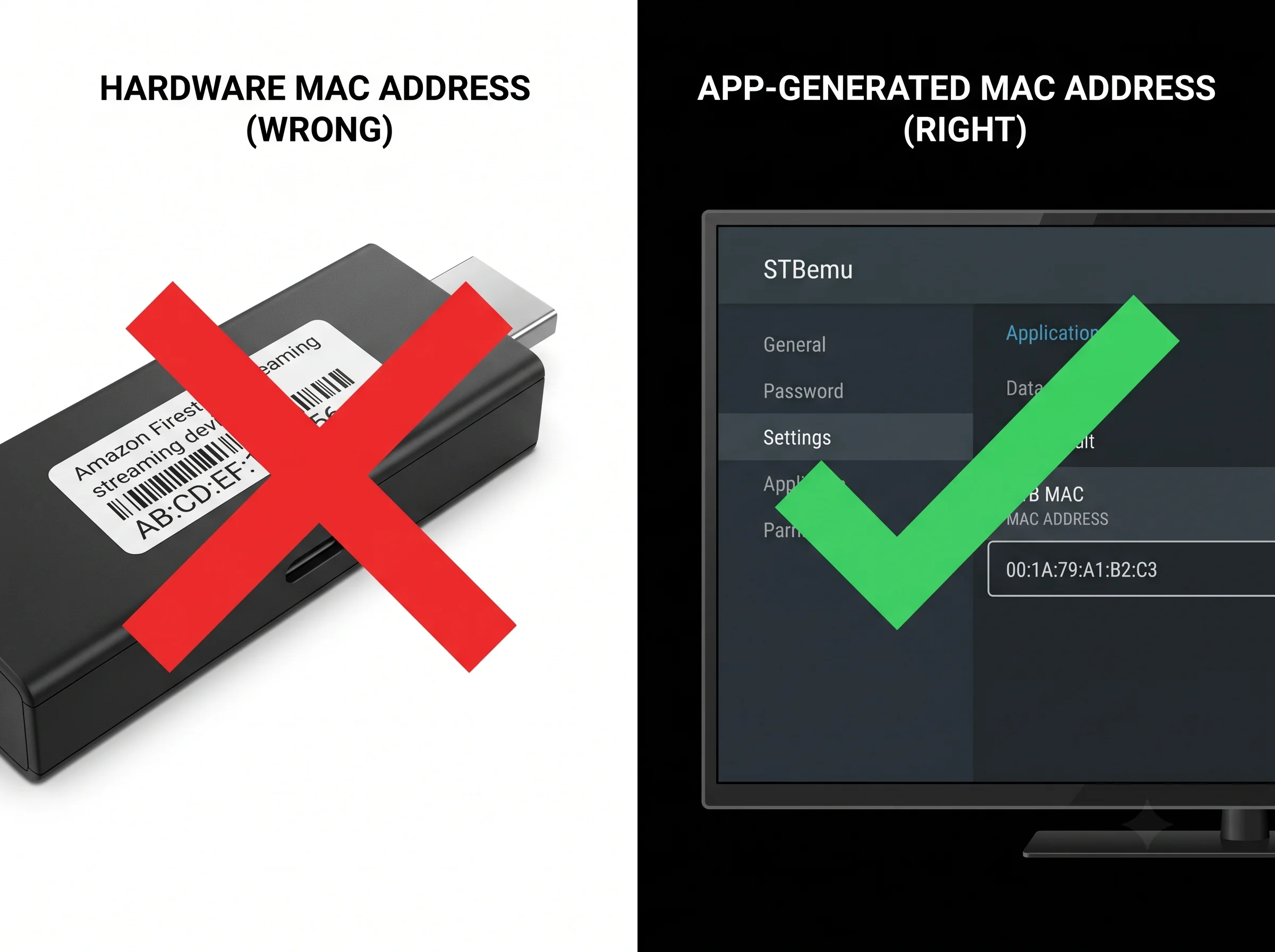
- Launch StbEmu. If the portal is displaying a loading screen, open the app menu first. On touchscreen devices, the developer documents a double-tap to reveal the menu; mouse or remote behavior depends on the device.
- Open Settings → Profiles. The app creates a default profile on first launch. Select that profile if it contains the portal you actually use, or select the profile you previously created.
- Choose STB configuration. Look for MAC address among the emulated box settings, near options such as STB model, serial number and Device ID.
- Write down the displayed address. Record all six pairs of characters, including the colon separators. For example,
00:1A:79:AB:12:CDis a format example, not a usable activation or shared account. - Check the profile before sending it. Confirm you’re reading the MAC from the profile associated with your intended portal. A separate profile can have different emulation settings.
This is the emulated STB MAC address, not necessarily the Wi-Fi or Ethernet hardware MAC printed in your Android TV’s network settings. When a service requests the STBemu MAC address, give it the value from STB configuration, unless the provider specifically instructs otherwise.
What does an STBemu MAC address look like?
A MAC address is usually written as six pairs of hexadecimal characters separated by colons. Hexadecimal uses digits 0–9 and letters A–F. The StbEmu documentation says that most supported portals require the prefix 00:1A:79, giving an example such as 00:1A:79:AB:12:CD.
| Item | Example | Why it matters |
|---|---|---|
| Emulated MAC | 00:1A:79:AB:12:CD | The identifier a Stalker portal may use to recognize your profile |
| Portal URL | https://portal.example.com/c/ | The address of the portal to which the profile connects; this is a nonworking example |
| Profile name | Living Room TV | Your personal label for choosing the correct configuration |
| Device ID | Generated by the app | A separate emulated identity field that some portals may request |
Do not assume that changing your MAC to a random address activates service. Registration occurs on the provider’s side, and access must be authorized for your account.
How to register an STBemu MAC address with your provider
StbEmu can store an emulated MAC address, but it cannot register a subscription on the provider’s server. A provider that uses MAC-based activation needs to associate the address with your authorized account.
- Confirm your connection type. Ask whether your subscription uses a Stalker/Ministra portal with MAC activation. Xtream Codes username/password accounts follow a different login method.
- Read the MAC inside your active StbEmu profile. Copy it exactly as it appears, preserving colons and the
00:1A:79prefix when your provider requires it. - Contact the provider privately. Send the MAC, your device type, and the order or subscription reference through the provider’s authorized support channel. Don’t post the address or account information in public forums.
- Ask for registration confirmation and the complete portal URL. Don’t guess the URL path, protocol or port number. The developer states that a portal URL must include a scheme such as
http://orhttps://. - Add the URL to the same profile. Open Settings → Profiles → [your profile] → Portal settings → Portal URL and enter the exact address supplied.
- Reload or restart the portal. Once registration is confirmed, return to the active profile and let it connect. If authorization still fails, compare the MAC in the app with the one the provider says it registered.
If you’re activating an STBemu.pro subscription, use the free-trial request page to check availability and send the requested device details privately. Subscription eligibility, channel access and activation depend on the specific service, not the player itself.
What to check before changing your MAC address
The STBemu MAC address settings allow you to edit the emulated identity. That doesn’t mean changing it is the correct solution when a portal fails.
Keep the currently registered address if the subscription has been working. A new MAC can look like a different device to the server, leaving the original subscription bound to the old one. If you’re moving from one Android TV box to another, reinstalling the application or replacing your profile, ask the provider whether it supports a MAC transfer or reactivation before making changes.
If a provider specifically gives you an address to use, go to Settings → Profiles → [profile] → STB configuration → MAC address, enter the authorized address exactly, save the profile and ask the provider to verify the match. Don’t copy a stranger’s MAC address or experiment with other people’s portal identities.
Why does STBemu show 00:1A:79:00:00:00?
The developer’s documentation explains that, on some Wi-Fi-only devices, Android restrictions can prevent the app from detecting a usable MAC, resulting in 00:1A:79:00:00:00. It instructs users to replace the all-zero portion with random hexadecimal characters, retaining pairs separated by colons.
Do this before registration, following your provider’s rules, and confirm that the resulting address is unique and accepted for your account. Don’t repeatedly regenerate an already registered MAC. Save a private record of the address you submit so you can compare it during future troubleshooting.
STBemu MAC address registered but portal still not working?
Match the symptom to the next check instead of changing several identity settings at once.
| Symptom | What to check first |
|---|---|
| Provider says MAC is unregistered | Compare every character of the address in STB configuration with the provider’s activation record |
| Portal keeps loading | Check the complete portal URL, the active profile and the device internet connection |
| Authorization failed after changing MAC | Ask the provider whether the subscription is still bound to the previous address |
App shows 00:1A:79:00:00:00 | Follow the developer’s guidance for Wi-Fi-only devices before requesting registration |
| A different profile opens | Select the intended profile and verify its own MAC and portal settings |
| MAC matches but provider requests Device ID | Ask which identity fields are needed; don’t change serial number, firmware or Device ID blindly |
The app’s Device ID, serial number and STB model are not interchangeable with its MAC address. Some providers check additional fields, and the developer provides settings for those cases. Leave the defaults alone unless your provider specifically requires a change. If MAC registration looks correct but the portal never opens, use our STBemu portal not loading troubleshooting guide for URL, network and authorization checks.
STBemu MAC address questions
Is the STBemu MAC address the same as the Firestick or Android TV MAC?
Not necessarily. StbEmu uses an emulated set-top-box MAC configured inside its profile. The physical device may have a separate Wi-Fi or Ethernet hardware address. Read the field your provider requests; don’t substitute the hardware value automatically.
Can I register one MAC address on two different devices?
That depends on your provider’s device and simultaneous-connection policies. Do not assume one registered identifier permits multiple simultaneous streams. Ask support how to move an existing subscription to another device.
Is the MAC address my IPTV password?
No. A MAC address is an identifier, not a secret password. A provider may use it as part of device authorization, so avoid publishing it alongside your portal information and subscription details. Never share credentials publicly.
What if my provider only gave me a username and password?
Ask whether your account supports a Stalker portal with MAC registration. StbEmu’s profile setup is designed for portal emulation, while ordinary Xtream Codes login requires an appropriate compatible player. See our STBemu app and setup guide for connection-format differences.
Conclusion
To find and register your STBemu MAC address, use the value shown under Settings → Profiles → STB configuration → MAC address, then have your IPTV provider associate that exact identifier with your authorized subscription. Enter the provider’s full portal URL in the same profile and reload it after activation. Keep a working MAC unchanged unless your provider approves a transfer or update.
For broader portal configuration, follow our Stalker portal setup guide. If registration is confirmed but the portal won’t load, use the connection troubleshooting steps rather than trying random MAC addresses.