
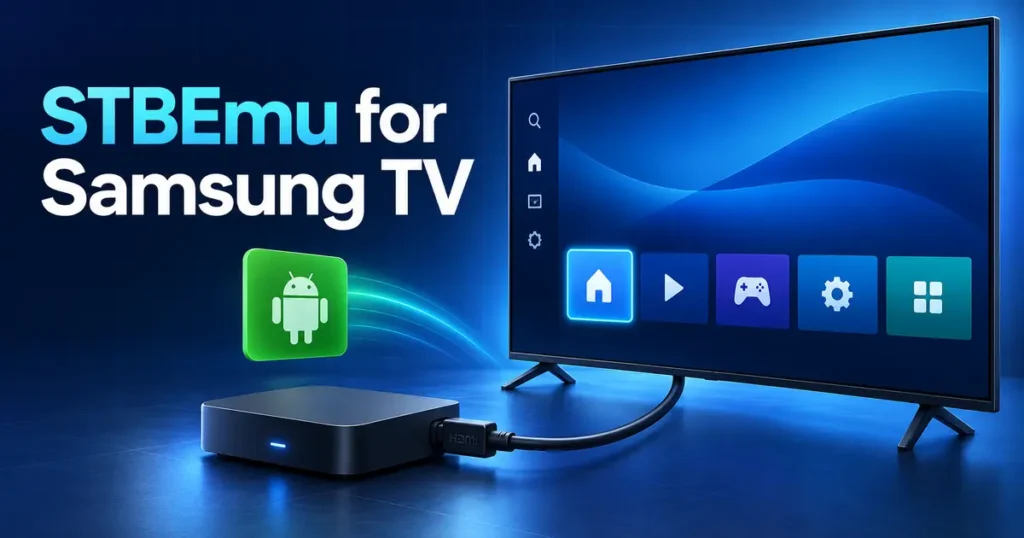
If you search for STBEmu for Samsung TV, you need to know one limitation first: STBEmu cannot run directly on a Samsung Smart TV that uses Tizen. The application requires Android 7.0 or later, while Samsung has used Tizen for its consumer Smart TVs since the 2015 model year.
You can still use STBEmu with your Samsung television by connecting an Android TV or Google TV device through HDMI. If you prefer a native Samsung app, Smart STB or Smart STB+ may work with your MAG or Stalker portal.
This guide explains both methods and helps you choose the right player for your portal, M3U playlist or Xtream Codes login.
Does STBEmu Work on Samsung Smart TV?
STBEmu does not work as a native Samsung Tizen application. It is an Android app designed to emulate selected Infomir MAG set-top boxes, including the MAG 250, MAG 270 and MAG 322.
You have three practical options:
- Install Smart STB or Smart STB+ from Samsung Apps if your TV supports it.
- Run STBEmu on an external Android device connected through HDMI.
- Use a compatible Tizen player if you have M3U or Xtream Codes credentials.
STBEmu is only a player and MAG emulator. It does not include channels, portal access or a television subscription. You must obtain authorized login details separately.
Why STBEmu Cannot Run Directly on Samsung Tizen
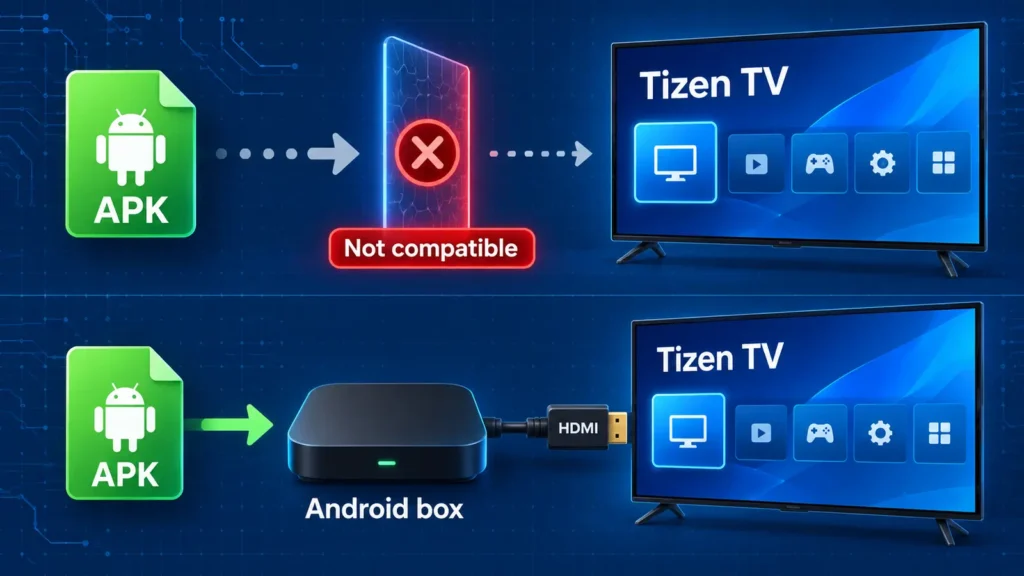
Android and Tizen use different application formats. Android devices install APK packages, while Samsung televisions require applications developed and signed for Tizen.
The problem is not your television’s storage or processing power. Tizen cannot process an Android APK because the package was created for another operating system.
Samsung Developer Mode does not solve this problem. It lets developers test signed Tizen applications through Tizen Studio. It does not add Android support or convert APK files into Samsung TV applications.
Can You Install the STBEmu APK Using USB?
Copying STBEmu to a USB drive will not make it compatible with your television. A Samsung TV cannot install an Android APK simply because the file appears on connected storage.
Avoid tutorials that offer modified Samsung versions of STBEmu or unidentified APK downloads. These files may be fake, outdated or altered to collect portal credentials.
How to Check Your Samsung TV Model and Operating System
Before selecting an application, find the exact TV model:
- Open Settings.
- Select Support.
- Open About This TV.
- Record the model code and software version.
Menu names can differ between models. You can also find the model code on the label attached to the back of the television.
Samsung’s TV model-group documentation identifies 2015 and newer Smart TVs as Tizen models. Many earlier Samsung Smart TVs use the company’s legacy platform.
STBEmu Compatibility by Samsung TV Type
| Samsung TV type | Native STBEmu support | Recommended option |
| 2020 and newer Smart TV | No | Check for Smart STB+ or use an Android device |
| 2015–2019 Tizen TV | No | Check for Smart STB or use an external device |
| Pre-2015 Smart TV | No | Use a current streaming box |
| Non-smart Samsung TV | No app support | Connect an Android, Google TV or Fire TV device |
Application availability also depends on the Samsung account country, model group and publisher support. Search Samsung Apps on the actual television before paying for any licence.
What You Need Before Setup
Collect the following information before installing a player:
- Your complete authorized portal or playlist URL
- The type of login supplied by your service administrator
- Any assigned MAC address, serial number or device identifier
- A Samsung account for downloading Tizen applications
- An available HDMI port if you plan to use external hardware
- A stable internet connection
Do not publish your portal URL, username, password, MAC address or device ID. Someone else may use those details and cause your account to become blocked.
Portal vs M3U vs Xtream Codes Login
These login methods are not interchangeable.
MAG or Stalker Portal
A MAG or Stalker portal usually requires a portal URL and a registered MAC address. Some systems also check the serial number, device ID, IP address or permitted region.
STBEmu and Smart STB are designed for this type of service.
M3U Playlist
An M3U playlist normally arrives as a URL or file containing a list of streams. According to the current STBEmu Google Play listing, STBEmu does not support M3U playlists.
Use an M3U-compatible Samsung or Android player instead.
Xtream Codes Login
An Xtream-compatible login normally includes:
- Server or base URL
- Username
- Password
Choose a player that explicitly supports these three fields. Do not paste Xtream credentials into STBEmu’s portal settings because they use a different connection method.
Method 1: Use Smart STB on Samsung TV
Smart STB is the closest native alternative for Samsung owners with a MAG or Stalker portal. It runs through the Samsung interface and avoids an additional box or remote.
Smart STB and STBEmu are separate products. Smart STB requires its own application licence, while your portal subscription remains a separate purchase.
Smart STB and Smart STB+ Compatibility
Smart STB+ is a rewritten version with portal, M3U and local-network support. Its publisher identifies Samsung televisions manufactured in 2020 or later as the supported Samsung range.
The regular Smart STB application may remain available on some older models. Support varies by model and country, so search for both names in Samsung Apps.
How to Install Smart STB
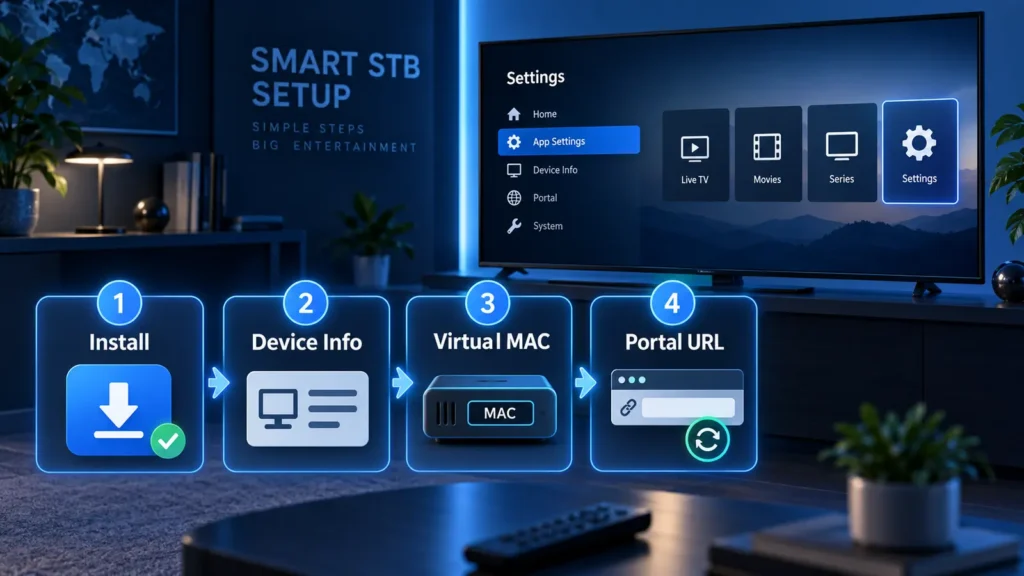
- Connect the Samsung TV to the internet.
- Sign in to your Samsung account.
- Open Home > Apps.
- Search for Smart STB.
- Search separately for Smart STB+.
- Check the publisher and compatible-device information.
- Install the version offered for your television.
- Open the app and review its licence and privacy terms.
If neither app appears, update the television software and search again. Do not change the TV country simply to force installation. Use an external Android device if the application remains unavailable.
Find the Software ID and Virtual MAC Address
Open Smart STB and press the Center or OK button while the Loading Portal screen appears. Go to:
System Settings > Device Info
Record the two identifiers shown there:
- Software ID: Identifies the application installation for activation and licensing.
- Virtual MAC: Identifies the emulated device to the portal.
The virtual MAC is not the physical Wi-Fi or Ethernet MAC printed in the Samsung network settings. Send the virtual MAC to your portal administrator when registration is required.
Avoid using the same virtual MAC on two devices. Duplicate use may cause registration conflicts or a portal block.
Add a Portal URL to Smart STB
- Open System Settings inside Smart STB.
- Select Portals.
- Enable Portal 1 or multiportal mode.
- Enter the complete portal URL supplied by your administrator.
- Set the required portal as the default.
- Save the settings.
- Reload the portal.
Use the full direct path. A short hostname may redirect to an address ending in /c/ or /stalker_portal/c/, which can cause a blank screen on some devices. These are only examples. Ask your administrator for the exact path instead of guessing it.
Smart STB Trial and Licence
As of 8 September 2026, Smart STB advertises a seven-day trial. Its public pricing page lists several app-only options, including monthly, annual and lifetime-style plans.
Prices and terms can change. Confirm the current cost and refund policy before paying. App activation does not pay for your portal subscription.
During the trial, test:
- Several live channels
- Movies and series
- EPG loading
- Audio tracks and subtitles
- High-resolution streams
- Channel-switching speed
A portal loading successfully does not prove that every video or audio format will work.
Method 2: Run STBEmu on an External Android Device
An external device is the better option when Smart STB is unavailable, your portal requires STBEmu or the TV cannot decode certain streams.
Choose a certified Android TV or Google TV device running Android 7.0 or later. Check its resolution, HDR and audio support before buying it. A maintained device with security updates is preferable to an unbranded box running an old Android version.
How to Install and Configure STBEmu
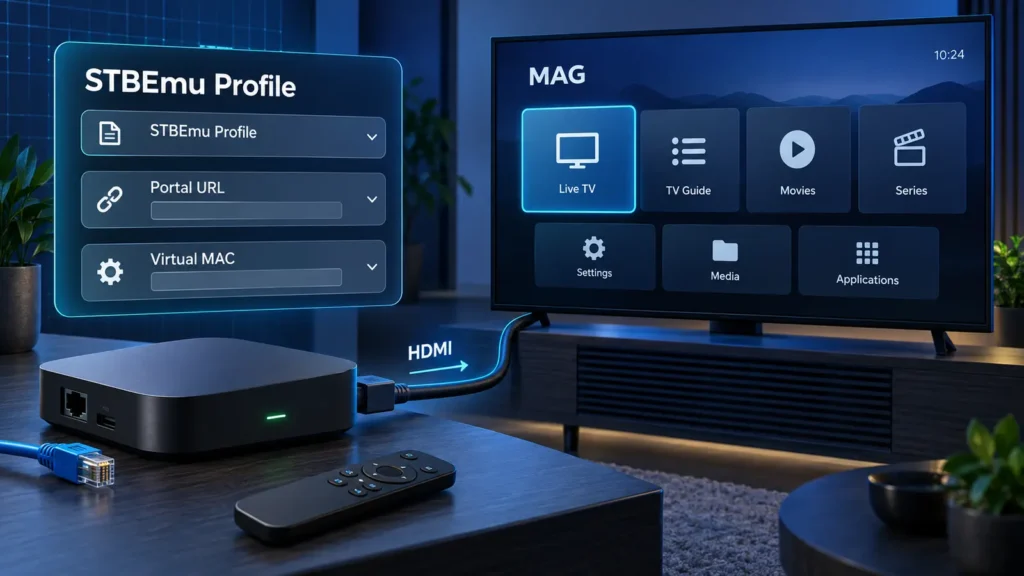
- Connect the Android or Google TV device to your Samsung TV through HDMI.
- Select the matching HDMI source.
- Open Google Play on the external device.
- Search for StbEmu or StbEmu Pro.
- Verify the developer and install the official application.
- Open Settings > Profiles.
- Edit the default profile or create a new profile.
- Enter a profile name and your authorized portal URL.
- Add the assigned MAC address and any required device information.
- Save the profile and reload the portal.
Select a specific emulated MAG model only when your administrator requires one. Start with the default media player. STBEmu supports several playback engines, but changing players can affect codec handling and playback behaviour. Change one option at a time when troubleshooting.
Set the streaming device’s output resolution to Auto or the television’s native resolution. Enable HDMI-CEC if both devices support it. This may let your Samsung remote control basic functions on the connected box.
The external device runs STBEmu. Your Samsung television only displays its HDMI output.
Can STBEmu Run on Amazon Fire TV?
Fire OS is based on Android, so STBEmu may run on compatible Fire TV devices. Amazon Appstore availability is not guaranteed.
Sideloading can expose you to modified packages and missed updates. Use only a package distributed by the developer and confirm that the interface works correctly with a television remote.
STBEmu vs Smart STB for Samsung TV
| Feature | Smart STB | STBEmu on Android device |
| Runs directly on compatible Samsung TV | Yes | No |
| Extra hardware required | No | Yes |
| MAG/Stalker portal support | Yes | Yes |
| M3U support | Smart STB+ supports it | No |
| Profile and player controls | More limited | More extensive |
| Separate app licence | Usually required | Free and Pro versions |
| Codec options | Limited by the TV | Depends on the external device |
| Remote convenience | One Samsung remote | May require another remote |
Choose Smart STB if it appears on your TV and passes the trial with your portal. Choose external STBEmu when you need its MAG-style settings, selectable media players or hardware that you can upgrade separately.
Other STBEmu Alternatives for Samsung TV
For a MAG or Stalker portal, consider Smart STB, Smart STB+, an external Android box or an administrator-approved Infomir device.
For an M3U playlist, use a Samsung application whose store listing specifically mentions M3U or M3U8 support. Samsung listings for SmartOne IPTV and M3U IPTV advertise playlist support, although regional availability can differ.
For Xtream Codes, select a Tizen or Android player that provides separate fields for the server URL, username and password. Verify the publisher, privacy policy and pricing before entering account details.
Screen mirroring through Samsung Smart View is another fallback. The phone continues running STBEmu while the television displays its screen. Mirroring may introduce delay, battery drain, aspect-ratio problems and DRM restrictions, so it is less dependable than an HDMI device.
Troubleshooting Common Problems
STBEmu Is Missing From Samsung Apps
This is expected because STBEmu is not a Tizen application. Use Smart STB or connect an Android device.
“Your STB Is Blocked”
Confirm that the correct virtual MAC is registered. Make sure another device is not using the same address. Only the portal administrator can remove a portal-level block.
Portal Stays on a Blank Screen
Check the complete portal path and registered virtual MAC. Restart the TV, streaming device and router. If the demo portal works but your own portal does not, ask the administrator to check compatibility and connection logs.
Channels Buffer or Load Slowly
Test the same channel on another device and try another legitimate streaming app on the same network. If every app struggles, check the home connection. If only one portal fails, its server or network route is the more likely cause.
Use Ethernet where possible. Changing DNS cannot repair inadequate bandwidth or an overloaded stream source.
Video Appears Without Sound
Test another channel and check the available audio tracks. Smart STB offers an alternative audio decoder on some platforms. STBEmu lets you test another media player.
An external device may support more codecs than the television. It cannot repair a dead or incomplete source stream.
Security, Privacy and Lawful Use
Install applications through official stores or verified developer pages. Keep your TV and streaming device updated, and use HTTPS when your authorized portal supports it.
Smart STB’s privacy policy states that it may process details such as IP address, device identifiers, operating-system information, activity and crash data. Review the current policy before creating an account.
A media player does not grant rights to television channels or films. Use services authorized to distribute their content in your region.
Frequently Asked Questions
Can STBEmu run directly on a Samsung Smart TV?
No. STBEmu requires Android and cannot run natively on Samsung Tizen. You need Smart STB or an external Android device.
Can I install STBEmu on Samsung TV through USB?
No. A USB drive does not convert an Android APK into a Tizen application.
Is Smart STB the same as STBEmu?
No. They are separate applications with different licensing systems, settings and supported devices.
Does STBEmu support M3U playlists?
Its official Google Play listing says it does not support M3U or similar playlists.
Can I use the same MAC address on two devices?
Do not assume that your portal permits it. Duplicate use can cause authentication conflicts or block the device.
Is screen mirroring the same as installing STBEmu?
No. Your phone runs the application and sends its screen to the television.
Which Setup Should You Choose?
If you own a Samsung TV from 2020 or later and have a MAG or Stalker portal, search for Smart STB+ first. Record its Software ID and virtual MAC, register the correct address and test the portal before buying a licence.
Use a current Android or Google TV box when Smart STB is missing, portal compatibility is poor or you specifically need STBEmu. If your provider gave you M3U or Xtream credentials, choose a player built for that login method instead of trying to force those details into STBEmu.