
The original STBEmu app does not run natively on an iPhone, iPad, Mac or Apple TV. It is an Android application built to emulate certain MAG-style set-top boxes. Apple users need a compatible App Store player that accepts the login format supplied by their IPTV provider. After successful app installation, users need premium streaming service access to use with the apps
Your best option depends on whether you received a Stalker portal and virtual MAC, Xtream Codes credentials or an M3U playlist. This guide explains the differences, setup routes and common faults. IPTV players contain no channels by default. Use them only with content you’re authorized to access.
What Is STBEmu?
STBEmu imitates parts of a MAG set-top-box environment on Android. It connects to compatible middleware through a provider’s portal URL and device identity. The Google Play listing for STBEmu states that users must configure it for their IPTV service. It also says the original app does not support M3U playlists.
A working setup may require the exact portal URL, a registered MAC address and sometimes a username, password, serial number or device signature. STBEmu supplies the player interface. It does not sell a subscription or grant viewing rights.
Does STBEmu Work on Apple Devices?
No. The original app is distributed for Android and its APK cannot run on iOS, iPadOS, macOS or tvOS. An APK is an Android installation package. Copying one through USB, Files or cloud storage does not convert it into an Apple application. Renaming the extension also changes nothing.
Apple Developer Mode is not an Android compatibility layer. It allows developers to test properly built and signed Apple-platform software. A Mac can run an Android development emulator but that indirect method adds overhead and awkward controls. A native Apple IPTV player is the practical choice.
STBEmu vs StbEmuTV: What Is the Difference?
STBEmu and StbEmuTV are separate products from different developers. Their similar names and portal-focused purpose can cause confusion StbEmuTV is not an official Apple edition of original STBEmu.
StbEmuTV accepts portal profiles and presents live TV, EPG, video-on-demand and series data. Its editions are separate:
- StbEmuTV Free: iPhone and iPad; iOS or iPadOS 13 and later; advertising and declared tracking in its App Store privacy label.
- StbEmuTV Pro: iPhone, iPad and Apple TV; iOS or iPadOS 12.4 and tvOS 13 or later. Its US listing showed version 4.4.2 from September 18, 2022.
- StbEmuTV Premium: a separate Mac app requiring macOS 11 or later. It is not a desktop entitlement bundled with Pro.
Prices and requirements vary by country and can change. Check the exact regional App Store listing before buying.
STBEmu for Apple Devices Compatibility
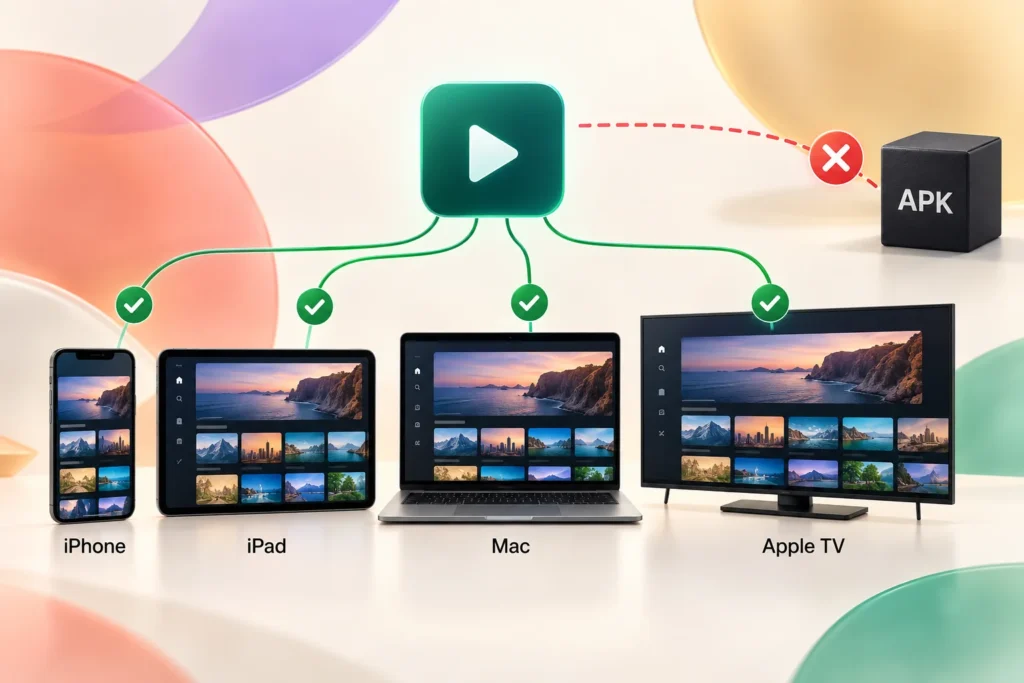
| Device | Original STBEmu | Recommended route | Suitable apps | Key limitation |
| iPhone | No | Install an iOS portal player | iSTB, Tivimax, StbEmuTV | Small EPG and cellular settings |
| iPad | No | Install an iPadOS portal player | iSTB, Tivimax, StbEmuTV | Some apps use a scaled phone layout |
| Mac | No native APK | Use a native Mac app or eligible iPad app on Apple silicon | iSTB, StbEmuTV Premium, IPTVX | iPad apps may retain touch-based controls |
| Apple TV | No | Install a tvOS-native player | iSTB, Tivimax, Smart STB, StbEmuTV Pro | Portal entry and remote navigation vary |
On iPhone, confirm that the app can use cellular data if you plan to watch away from Wi-Fi. Test portal login and playback before purchasing an upgrade. An iPad follows the same setup process but its larger screen better suits EPG grids, category browsing and multi-view.
For Mac, a native macOS app gives better keyboard and full-screen control. Apple-silicon Macs may run eligible iPhone or iPad apps when developers permit distribution. Intel Macs cannot use that route. IPTVX requires an M1-or-later Mac and suits Xtream or M3U accounts more than MAC-only portals.
Apple TV HD and Apple TV 4K models with the App Store can install tvOS players. Based on the cited listings, StbEmuTV Pro and iSTB require tvOS 13 or later. Tivimax and Smart STB require tvOS 14 or later. Older Apple TV models without the tvOS App Store cannot use these apps.
Check Your Apple Device and Software Version
- iPhone or iPad: Open Settings > General > About. Note the model and installed iOS or iPadOS version.
- Mac: Choose Apple menu > About This Mac. Check the macOS version and whether the chip is Intel or Apple silicon.
- Apple TV: Open Settings > General > About. Check for updates under Settings > System > Software Updates.
Compare those details with the Compatibility section of the exact App Store page. Similar app names can have different requirements.
What You Need Before Setup
Ask your provider which connection type the account supports. You may need:
- The complete portal or server URL with http:// or https://, port and path
- The virtual MAC displayed inside the chosen app (STBemu gives you option to customize URL the way you want).
- A username and password when the portal requires them
- A device ID, serial number or signature for some implementations
- Confirmation of device limits and permitted simultaneous streams
A portal endpoint may not open like a normal website. Copy it exactly instead of “correcting” its path. Never post genuine portal details or credentials in screenshots.
Stalker Portal vs Xtream Codes vs M3U
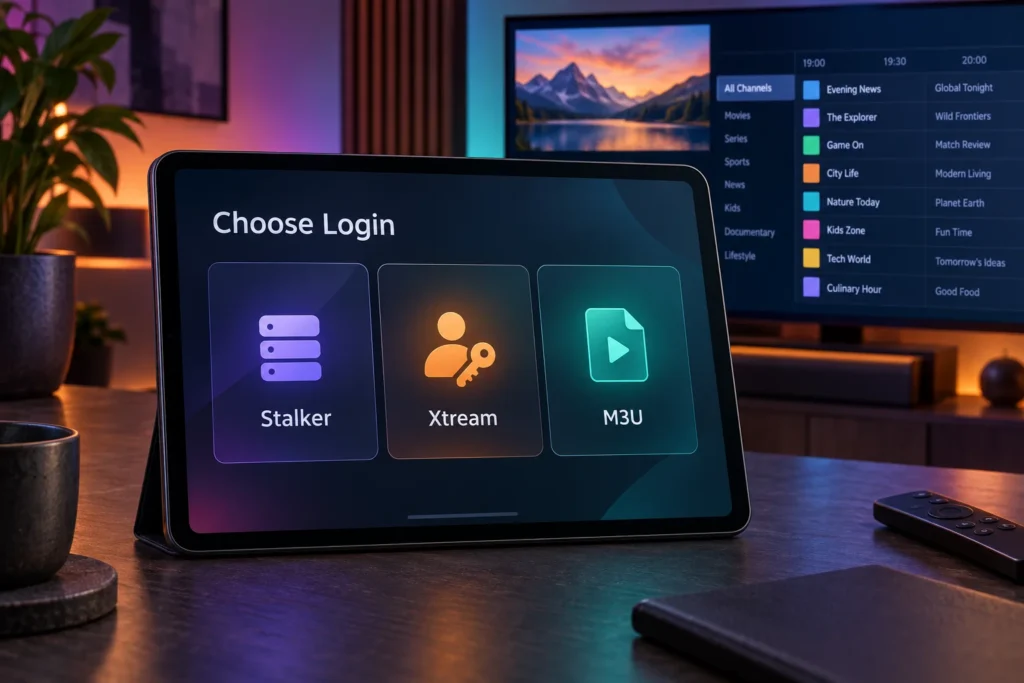
| Login method | Required details | Best use | Main limitation |
| Stalker or MAG | Portal URL and registered virtual MAC; sometimes extra credentials | Portal categories, EPG, archive and VOD | Custom portal implementations can reject some apps |
| Xtream Codes | Server URL, username and password | Structured live TV, movies and series | Cannot replace MAC authorization unless the provider enables it |
| M3U or M3U8 | Playlist URL or file; optional XMLTV EPG | Broad player compatibility | Often offers less account structure |
M3U8 is also used for Apple HTTP Live Streaming. That does not mean every Stalker app accepts M3U as an account-import method. Choose an app for the credentials you actually received.
How to Set Up STBEmu for Apple Devices
Set Up a Stalker Portal on iPhone or iPad
- Install a compatible player from the App Store.
- Add a provider or profile.
- Select Stalker or MAC portal.
- Name the profile and paste the complete portal URL.
- Copy the virtual MAC shown by the app.
- Ask your provider to register or replace that MAC.
- Save the profile and reconnect.
- Test live TV, one VOD title, EPG, subtitles and catch-up separately.
A downloaded channel list confirms authentication. It does not prove that every codec or stream will play.
Set Up a Portal on Mac
Install a native macOS player and select the supplied login type. Paste long URLs to avoid typing errors. Register the app’s virtual MAC before repeated connection attempts.
Test full-screen video, audio selection and keyboard controls before paying for an upgrade. If you use an iPad app on Apple silicon, expect some touch-oriented menus.
Set Up a Portal on Apple TV
Install a compatible tvOS app. Select the required login format and enter the portal. Note the app-generated virtual MAC and send it to your provider for registration. Refresh the profile after activation.
Test Siri Remote navigation, EPG, VOD, subtitles and alternate audio tracks. Use the keyboard notification on a nearby iPhone or iPad to enter long URLs. Some apps also offer a setup website, code or iCloud profile sync. Never enter your Apple Account password into an IPTV provider’s portal.
Virtual MAC Registration and Multiple Devices
The virtual MAC inside an IPTV app is an account identifier. It may differ from the Wi-Fi address in Apple settings. Register the value displayed by the player unless your provider gives different instructions. Changing it later can break authorization.
Installing one purchased app on several devices does not grant several IPTV connections. Providers may restrict a line to one MAC or one concurrent stream. Reusing the same MAC can disconnect another device or trigger an authentication error. Request an extra connection, a replacement registration or a second subscription when needed.
How to Use AirPlay With an IPTV Player
Connect the iPhone or iPad and Apple TV to the same Wi-Fi network. Start the stream and choose the AirPlay destination. If the player lacks native AirPlay, open Control Center and try Screen Mirroring.
Results depend on the app, playback engine, stream format and content protection. Mirroring keeps the mobile device involved and may be less stable. Use a native tvOS player for regular television viewing.
Best STBEmu Alternatives for Apple Devices
- iSTB: The strongest general option for Stalker, Xtream and M3U across iPhone, iPad, Mac and Apple TV. Its listing includes profiles, EPG, catch-up, VOD, subtitles, picture-in-picture and multi-view. Test your provider through iSTB Lite first because some portals remain incompatible.
- Tivimax Lite: A useful free test for Stalker, Xtream and M3U on iPhone, iPad and Apple TV. It supports EPG, reminders, VOD, catch-up and subtitle controls. Its free listing declares advertising-related tracking.
- StbEmuTV Pro: A portal-focused option that supports Apple TV. Its older listed update date and mixed ratings make a trial essential.
- Smart STB: Suited to Apple TV users who prefer a set-top-box-style portal interface. Confirm current activation charges and portal compatibility before paying.
- IPTVX or UHF: Better fits for Xtream, M3U and supported media servers. Do not choose either for a MAC-only Stalker account unless your provider supplies another login format.
For a Stalker portal, begin with iSTB Lite or Tivimax Lite. Choose iSTB when you want support across the broadest range of Apple devices. For Xtream or M3U, compare IPTVX, UHF, Tivimax and iSTB based on the features you will use.
Troubleshooting STBEmu for Apple Devices
Portal Does Not Load
Check the scheme, port and path. Test without a VPN, Private Relay or custom DNS. Verify automatic date and time then try another network. An invalid TLS certificate requires provider repair; do not bypass certificate warnings.
MAC Address Is Not Authorized
Compare the in-app virtual MAC with the provider’s record character by character. Ask whether the portal expects a serial number, device ID or signature. Confirm whether an old device registration must be removed. Avoid generating fresh MAC addresses during diagnosis.
Channels Load but Video Is Black
Test several channels and one VOD item. Try another audio track or playback engine if offered. Widespread failure may involve codecs, encryption, expired tokens or player incompatibility. Changing the MAC cannot fix unsupported video or DRM.
IPTV Buffers on iPhone, iPad or Apple TV
Use Ethernet on a supported Apple TV or stable 5 GHz or 6 GHz Wi-Fi. Stop competing downloads and compare several channels. Test another network because a speed test does not measure the route to the IPTV server.
Record the channel, time, ISP and network type before contacting support.
EPG Is Missing or Shows the Wrong Time
Refresh the guide and clear its cache. Check the device time zone. Use an offset only when every programme is early or late by the same amount. Empty data or mismatched channel IDs needs provider-side mapping.
The App Works on Wi-Fi but Not Mobile Data
Enable cellular access for the app. Check Low Data Mode, VPN and filtering settings. Test another mobile network. The provider may restrict ports, regions or IP ranges.
Security, Privacy and Legal Use
Install players from the Apple App Store or a verified developer site. Avoid cracked apps, unknown IPA files and pages claiming to offer an STBEmu APK for iOS.
Review the App Privacy label before entering account details. Use a unique provider password and remove saved profiles before selling a device.
An IPTV player does not include content rights. Access only streams licensed for your location and account. Local copyright rules vary so the content source and authorization matter more than the player’s name.
Frequently Asked Questions
Can I download STBEmu from the Apple App Store?
No. The original STBEmu is an Android app. Apple’s App Store carries separate players with similar portal support.
Can I install the STBEmu APK on an iPhone or iPad?
No. iOS and iPadOS cannot execute Android APK packages through Files, USB or Developer Mode.
Can Developer Mode run STBEmu on an Apple device?
No. Developer Mode supports Apple-platform software built and signed for the relevant operating system. It does not add Android APK compatibility.
Is StbEmuTV the official Apple version of STBEmu?
The available store evidence identifies different developers. Treat it as a separate product unless the original developer confirms otherwise.
Does StbEmuTV include channels or a subscription?
No. Its App Store listings say users must supply their own portal details and media access.
Can one portal work on several Apple devices?
Only when the provider permits multiple registered devices or concurrent streams. Each app may generate a different virtual MAC.
Which Apple IPTV app supports Stalker portals?
iSTB, Tivimax, StbEmuTV and Smart STB list Stalker or portal-related support. Test the exact provider before paying.
Can I AirPlay IPTV from an iPhone to Apple TV?
Yes, when the player and stream permit AirPlay or screen mirroring. A native tvOS app usually offers better stability and remote control.
Why does a portal list channels without playing them?
Authentication worked but playback failed. The likely causes include an unsupported codec, expired token, encryption, geo-rule or broken source.
Is STBEmu legal?
The player has lawful uses. Viewing legality depends on content licensing, your authorization and local law.
Conclusion
You cannot install the original STBEmu on an Apple device. Match an Apple player to your provider’s login method instead.
Start with iSTB Lite or Tivimax Lite for a Stalker compatibility test. Use IPTVX or UHF mainly for Xtream and M3U accounts. Verify portal login, live playback, VOD and EPG before buying because a successful sign-in does not guarantee full stream compatibility.