
If you’ve stumbled across “STBemu” in a setup video or a cord-cutting forum and had no idea what people were talking about, you’re not behind — most people haven’t heard of it either. So what is STBemu? It’s a free app that turns your phone, Firestick, or Android TV box into a working IPTV player. It doesn’t come with channels built in, and it isn’t a streaming service on its own. It’s the tool that connects to one.
This guide walks through what STBemu actually does, how it works, what separates the free version from STBemu Pro, and whether it’s free or legal to use — without assuming you already know what a MAC address is. By the end, you’ll know exactly where STBemu fits into the bigger cord-cutting picture and what to check before you connect it to anything.
What Does STBemu Actually Stand For?
STBemu stands for Set-Top Box Emulator. In plain terms, it’s software that mimics a physical MAG set-top box — the small hardware boxes that cable and IPTV providers used to ship out to customers. Instead of plugging in a separate box, STBemu does the same job as an app on a device you already own.
Think of it the way you’d think of VLC or Kodi: it’s a media player, not a broadcaster. It doesn’t produce, host, or own any content. What you watch depends entirely on which IPTV subscription you connect it to.
The reason this software-only approach caught on is straightforward: buying and shipping a physical MAG box costs money and locks you into one piece of hardware. An app does the same job on a device you likely already own, and it works across far more device types than any single box ever could.
How Does STBemu Work?
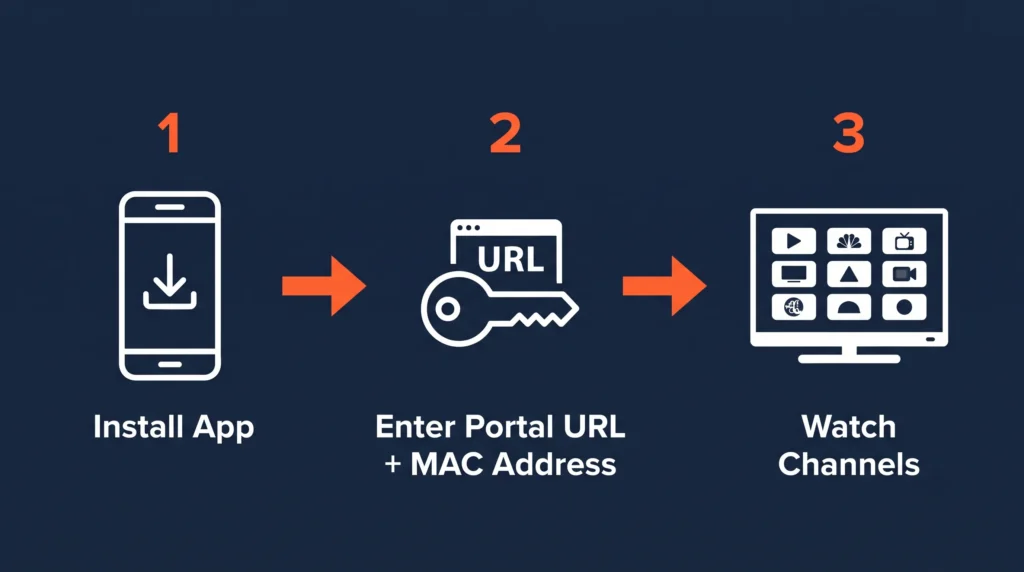
STBemu runs on something called the Stalker Portal protocol — a system originally built for those MAG boxes. Instead of downloading a playlist file, the app connects to a provider’s server using two pieces of information: a portal URL and your device’s MAC address.
Here’s what happens behind the scenes: the app sends a request to the portal asking for your profile, then a second request asking for the full channel list. The server replies with the channel data, stream links, and program guide information, and STBemu displays it all in a simple, remote-friendly interface.
For you, the process boils down to three steps:
- Install the STBemu app on your device.
- Get a portal URL (and sometimes a MAC address) from your IPTV provider.
- Enter those details under Settings → Servers → Add Portal.
That’s genuinely the whole technical picture. You never touch the API calls yourself — you just enter two pieces of text once.
STBemu vs STBemu Pro: What’s the Real Difference?
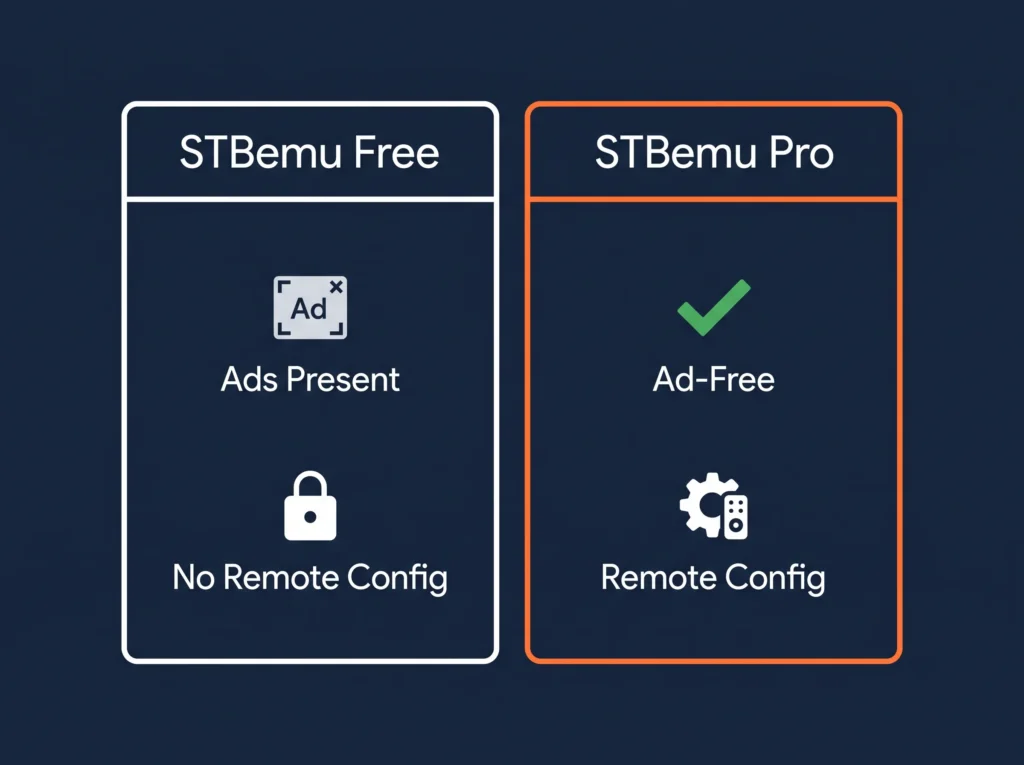
This is where most explanations get muddy, so here’s the direct comparison:
| STBemu (Free) | STBemu Pro | |
|---|---|---|
| Cost | Free | $5.49 one-time |
| Ads | Occasional ads | None |
| Remote configuration | Not available | Available |
| Works with any IPTV subscription | Yes | Yes |
| Channels included | No | No |
Neither version comes with channels — that’s always a separate subscription, no matter which one you pick. If you’re just testing the waters, the free version does everything you need. If you’re planning to use it daily, the $5.49 Pro upgrade removes the ads and adds remote setup, which is worth it once you know you’re sticking with it.
Is STBemu Free?
The app itself, yes — you can download STBemu without paying anything. What costs money is the IPTV subscription that supplies the actual channels; without one, STBemu has nothing to play. Most providers offer a short free trial so you can see what you’re getting before committing to a plan. You can check current trial offer details if you want to test a service before paying for anything.
Is STBemu Legal?
Short answer: the app itself is completely legal. STBemu is a media player, the same category as VLC or Kodi, and there’s nothing illegal about software that displays a video stream you point it at.
Where people get confused is the content side, not the app. In the US, IPTV as a technology is fully legal — what determines legality is whether the specific service providing your channels actually holds the rights to distribute them. This falls under the DMCA and FCC rules governing video distributors, which require a provider to have proper broadcaster consent before retransmitting a signal. It’s worth being clear here: the legal exposure in this space falls on companies operating unlicensed services at scale, not on someone using an app to watch a subscription they paid for through a provider that’s upfront about how it operates.
The practical takeaway: the player is never the issue. When choosing a provider, look for one that’s transparent about who runs it, easy to actually reach for support, and clear about pricing and refunds.
What Devices Does STBemu Work On?
STBemu supports a wide range of hardware:
- Firestick and Fire TV, including 4K models
- Android TV boxes and Android phones/tablets
- Nvidia Shield TV
- MAG, Formuler, and Dreamlink set-top boxes (native support, since these are close relatives of the original hardware STBemu emulates)
- Windows and Mac, via sideload/emulator methods
Samsung and LG smart TVs are the exception — their operating systems (Tizen and WebOS) don’t allow sideloading apps like STBemu directly. The workaround is simple: connect a Firestick or Android TV box to the TV over HDMI, and run STBemu on that device instead. You can see supported streaming devices in more detail in our full Firestick setup walkthrough.
STBemu vs Cable TV, YouTube TV, and Kodi
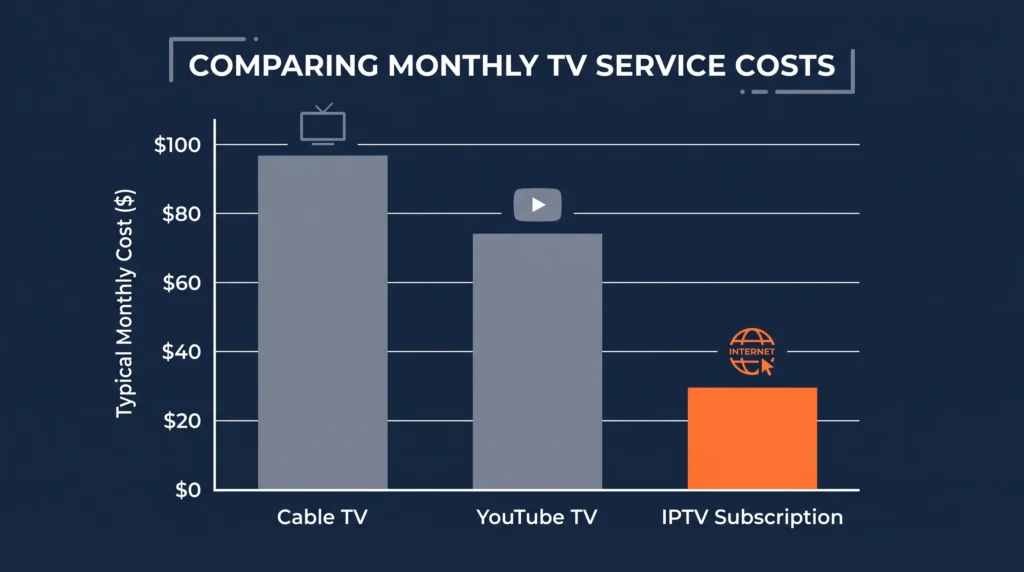
Cord-cutting isn’t a fringe trend anymore. US cable subscriptions have fallen from 105 million in 2010 to just 68.7 million in 2026, and only 34.4% of households still pay for traditional TV service. Streaming now makes up 47.5% of all TV usage, more than broadcast and cable combined, according to Nielsen’s audience measurement data. The number one reason people give for cutting cable? Price — cited by 86.7% of cord-cutters. By the end of 2026, an estimated 80.7 million US households are projected to go without traditional pay-TV entirely, which gives some sense of how mainstream this shift has become.
Here’s how the main options stack up:
| Cable TV | YouTube TV | STBemu + IPTV Subscription | |
|---|---|---|---|
| Typical monthly cost | $80-$150+ | ~$73+ | Often $8-$15 |
| Contract required | Usually yes | No | No |
| Hardware needed | Cable box (rented) | None (smart TV app) | Any device you own |
| Channel flexibility | Fixed bundles | Fixed bundles | Varies by provider |
Kodi sits in a similar category to STBemu — both are open players rather than content sources. The difference is that STBemu is purpose-built for Stalker Portal-based IPTV services, while Kodi is a more general media center that needs separate add-ons for live TV.
Getting Started: What You Need Before You Begin
Before installing STBemu, have these ready:
- A supported device (Firestick, Android TV box, phone, or similar)
- An active IPTV subscription, or a free trial — this is what actually supplies channels
- Your portal URL and MAC address, provided by your subscription
- A stable internet connection: roughly 10 Mbps for HD, 25 Mbps if you want smooth 4K
The most common mistake beginners make is skipping the “Apps from Unknown Sources” setting before sideloading the app on Firestick or Android — without it, the installation simply won’t go through. The second most common one is mistyping the MAC address format, which should look like 00:1A:79:XX:XX:XX. A third: entering the portal URL with a typo or missing “http://” prefix, which will connect to nothing and looks identical to a server outage. Double-check all three before assuming something’s broken on the provider’s end.
If you want channel details before you commit to anything, you can see full channel lineup options ahead of time.
Frequently Asked Questions
What is STBemu Pro?
STBemu Pro is the paid version of the STBemu app, available as a one-time $5.49 purchase. It removes the ads present in the free version and adds remote configuration, which lets you manage settings without direct device access. It still requires a separate IPTV subscription to display any channels — Pro only changes how the app itself looks and behaves, not what content you can access.
Is STBemu legal?
Yes, the STBemu app itself is legal — it’s a media player, comparable to VLC or Kodi. Legality becomes a question of the content source, not the software. In the US, this depends on whether your IPTV provider holds proper distribution rights under DMCA and FCC rules. Choosing a transparent, established provider is the simplest way to stay on solid ground.
What is the difference between STBemu and STBemu Pro?
The core difference is ads and configuration options. STBemu (Free) shows occasional ads and must be configured directly on the device. STBemu Pro removes ads and allows remote configuration. Both versions work identically with any IPTV subscription, and neither includes channels on its own.
Is STBemu free?
The STBemu app is free to download in its standard version. The cost comes from the IPTV subscription you connect it to, since the app alone has no content to display. Most providers, including STBemu Pro, offer a short free trial so you can test the service before paying anything.
Does STBemu work on Firestick?
Yes. STBemu installs on Firestick and Fire TV, including 4K models, through a standard sideloading process using the Downloader app. The setup takes about 10-15 minutes for a first-time install, and works the same way across most Fire TV generations.
What streaming formats does STBemu support?
STBEmu uses a MAG/Stalker portal URL and a registered device identity. The app publisher says it does not support M3U playlists. If your provider supplied an M3U playlist or Xtream Codes login, choose a player that supports that format; those credentials cannot be entered into STBEmu as a playlist.
Conclusion
STBemu is simpler than it looks from the outside: it’s a free player app, not a content service, and everything you actually watch comes from whatever IPTV subscription you connect it to. The real decisions come down to two things — whether the free version or Pro fits how often you’ll use it, and whether the provider supplying your channels is upfront about pricing, support, and licensing.
If you’re in the US and weighing STBemu against cable or YouTube TV, the appeal is mostly about cost and flexibility rather than any single feature. It won’t feel intimidating once you’ve done it once — entering a portal URL and a MAC address is the entire technical hurdle, and most people clear it in under fifteen minutes.
Before you commit to a plan, it’s worth testing a provider’s trial period first so you know exactly what you’re getting. You can view pricing and packages or start with a no-commitment trial through STBemu Pro to see how it fits your setup.